
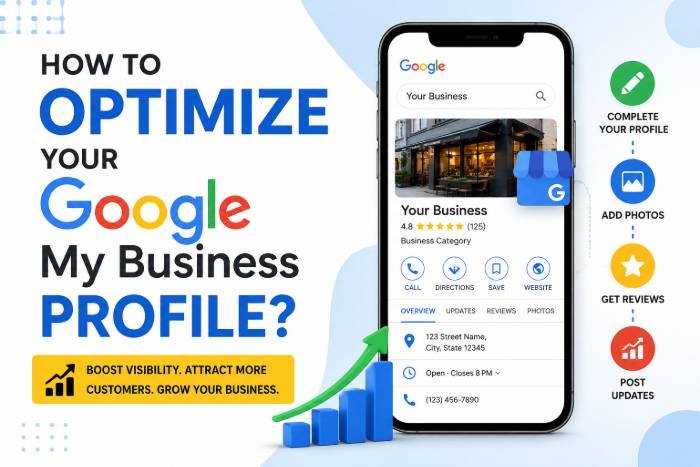
How to Optimize Your Google My Business Profile?
Whether you run a clothing store, a service-based company, or a digital marketing course, your Google My Profile plays an important role to attract nearby customers. It has become a powerful tool to grow your business.
You must have seen when you search for a service “ near you “ or any specific business in your city, like Pune, Google displays local listings at the top. If your profile is well optimized, it can generate calls, website visits, & foot falls to your doorstep.
In this blog, we will understand how to optimize your local listing in Google for better rankings and conversions.
Table of Contents
1. Create Google My Profile & Verify
This is the first step to create your Google My Business Profile, so your business can start appearing on Google Maps.
Verification is crucial
- This is the proof that your business is legitimate
- It increases trust among the customers
- You can manage and edit your listing easily
2. Choose the right category
The category directly affects when your profile appears in Google. Your primary category tells Google about your business.
For Example
If you run a “Digital Marketing Training Institute in Pune,” then choose “Training Center” instead of Education.
If you have a clothing business, then choose Men’s clothing instead of a retail store.
3. Complete Every Section of Your Profile
If you wish to convert more and more customers for business, then optimize your profile and provide all your information.
For Example
Business Name
Address
Phone Number
Website URL
Business Hours
Business Description
Service & Products
Your Business Description should include your targeted keywords; for example, if you are targeting “ Digital Marketing Courses in Pune”, then include it in your description.
4. Add High Quality Videos & Pictures
Adding pictures & Videos in Google My Profile can create a positive impression, it will attract customers & engage them.
Types of Images to Add
- Exterior ( Storefront )
- Interior ( Office image, Cabin )
- Team Photos
- Products & Services pictures
- Customers Testimonials
5. Optimize with Local Keywords
Keywords matter for Google My Profile as well; it is not just for the website.
Where to use keywords
Business Description
Service Section
Posts
Q & A Section
6. Collect & Manage Customer Reviews
Reviews influence both customers & visibility. They are the most powerful ranking factor.
How to get more reviews
- Ask customers to give reviews
- Share links on WhatsApp
- Offer Great Services
- Give a response to every review
- Use keywords naturally in Review content
7. Post Regular Updates
Google Business Profile allows you to publish posts similar to social media updates. These posts help improve engagement and keep your profile active.
Types of posts:
- Offers and discounts
- New services or courses
- Events and workshops
- Tips and educational content
Consistency matters. Try posting at least once a week.
8. Add Products and Services
Listing your services clearly helps users understand what you offer and improves search relevance.
For each service:
- Add a title
- Write a detailed description
- Include pricing (if possible)
Example:
Service: “Digital Marketing Course in Pune”
Description: Include details about modules, duration, certifications, and placements
This also helps Google match your profile with relevant search queries.
9. Use the Q&A Section Strategically
The Questions & Answers section is often overlooked but can be a powerful SEO tool.
You can:
- Add frequently asked questions yourself
- Provide clear, keyword-rich answers
Examples:
- “What is the duration of the course?”
- “Do you provide placement assistance?”
This improves both user experience and search visibility.
10. Enable Messaging and Call Features
Make it easy for customers to contact you directly.
Enable:
- Call button
- Messaging (chat option)
Quick responses increase your chances of converting leads into customers. Many users prefer messaging over calling, especially for inquiries.
11. Maintain NAP Consistency
NAP stands for Name, Address, and Phone Number. Ensure that your business details are consistent across:
- Your website
- Social media profiles
- Business directories
Inconsistent information can confuse Google and negatively impact your rankings.
12. Track Performance with Insights
Google provides analytics through the “Insights” section of your profile.
You can track:
- How customers find your business
- Search queries used
- Calls and direction requests
- Website clicks
Use this data to refine your strategy. For example, if most users find you through “digital marketing classes in Pune,” you should strengthen that keyword in your content.
13. Avoid Common Mistakes
Many businesses fail to get results due to simple mistakes:
- Ignoring reviews
- Using incorrect categories
- Not updating business hours
- Adding low-quality images
- Keyword stuffing
Avoid these pitfalls to maintain a strong and professional presence.
Conclusion
Optimizing your Google Business Profile is not a one-time task—it’s an ongoing process. When done correctly, it can become one of your most powerful marketing channels, especially for local businesses in competitive markets like Pune.
By focusing on completeness, consistency, customer engagement, and regular updates, you can significantly improve your visibility in local search results.
If you are running a business or institute, investing time in Google Business Profile optimization can generate high-quality leads without heavy advertising costs. Start implementing these strategies today, and you’ll begin to see measurable improvements in traffic, inquiries, and conversions.
Read Also : Is SEO Dead? How GEO is Taking Over in 2026