Salesforce Developer Course Syllabus – Victorious Digital
Table of Contents
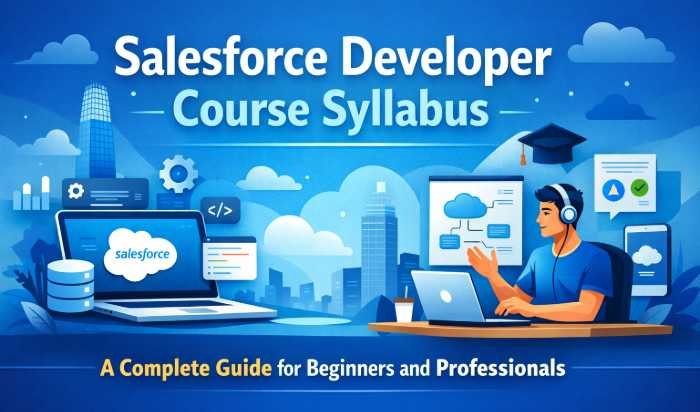
Salesforce Developer Course Syllabus: A Complete Guide for Beginners and Professionals
Introduction to Salesforce Development
What is Salesforce and Why It Matters
Salesforce isn’t just another software platform—it’s practically the backbone of modern customer relationship management (CRM). If you’ve ever wondered how companies manage millions of customer interactions without losing track, Salesforce is often the engine behind that magic. It’s a cloud-based platform that helps businesses streamline sales, customer service, marketing, and more—all in one place. The real beauty of Salesforce lies in its flexibility. Companies can customize it according to their unique workflows, and that’s exactly where Salesforce developers step in.
Think of Salesforce as a blank canvas and developers as the artists. Businesses don’t just want a CRM; they want a system tailored to their processes. Whether it’s automating repetitive tasks, building custom apps, or integrating external systems, Salesforce developers make it happen. According to industry reports, Salesforce dominates the CRM market with over 20% global market share, which means demand for skilled developers isn’t slowing down anytime soon.
Role of a Salesforce Developer in Modern Businesses
A Salesforce developer isn’t just someone who writes code—they’re problem solvers, architects, and sometimes even strategists. In today’s digital-first world, businesses rely heavily on customized software solutions, and Salesforce developers play a key role in building those solutions. Their primary responsibility is to design, develop, test, and deploy applications on the Salesforce platform, but the scope of their work goes far beyond that.
Imagine a company struggling with inefficient sales processes. A Salesforce developer can automate lead tracking, create dashboards for better visibility, and even integrate AI-powered tools to predict customer behavior. That’s not just coding—that’s directly impacting business growth. Developers often collaborate with stakeholders, business analysts, and administrators to understand requirements and translate them into technical solutions.
Overview of Salesforce Developer Course Structure
Key Learning Objectives of the Course
When you enroll in a Salesforce Developer course, you’re not just signing up to learn a programming language—you’re stepping into a structured learning journey designed to make you job-ready. The course syllabus is carefully crafted to ensure that you understand both the technical and functional aspects of the Salesforce ecosystem. One of the primary learning objectives is to help you build a strong foundation in Salesforce fundamentals, including how the platform works and how businesses use it.
Another key objective is mastering Apex programming, which is the backbone of Salesforce development. You’ll learn how to write efficient code, create triggers, and handle complex business logic. Alongside this, the course emphasizes front-end development using Lightning Web Components (LWC), which are essential for building modern, responsive user interfaces. By the end of the course, you should be able to develop full-fledged applications within Salesforce.
Types of Salesforce Developer Certifications
Salesforce certifications are like badges of credibility—they tell employers that you know your stuff. And when it comes to Salesforce development, there are several certifications you can aim for, each catering to different skill levels. The most popular starting point is the Salesforce Platform Developer I certification. This certification validates your understanding of basic development concepts, including Apex, Visualforce, and Lightning components.
Once you’ve gained some experience, you can move on to the Platform Developer II certification. This is more advanced and focuses on complex business logic, integrations, and advanced programming techniques. It’s designed for developers who already have hands-on experience and want to take their skills to the next level.
There are also specialized certifications like JavaScript Developer I, which focuses on front-end development using Lightning Web Components. This is particularly useful if you want to specialize in UI/UX development within Salesforce. Another valuable certification is the Salesforce App Builder, which, while not strictly developer-focused, complements your skills by teaching you how to design applications without heavy coding.
Fundamentals of Salesforce Platform
Understanding CRM and Cloud Computing
Before diving into code, it’s important to understand the foundation Salesforce is built on—CRM and cloud computing. Think of CRM (Customer Relationship Management) as the brain of a business that remembers every interaction with customers. From emails and phone calls to purchase history and support tickets, everything gets stored and organized in one place. Salesforce takes this concept and supercharges it by moving everything to the cloud, making it accessible anytime, anywhere.
Cloud computing is what makes Salesforce so powerful and scalable. Instead of installing software on individual machines, everything runs on remote servers. This means businesses don’t have to worry about maintenance, updates, or infrastructure costs. For developers, this opens up a world of opportunities. You’re not just building software—you’re building applications that can be accessed globally with minimal friction.
A Salesforce Developer course ensures you understand different cloud models like IaaS, PaaS, and SaaS, but more importantly, how Salesforce fits into the SaaS (Software as a Service) model. You’ll also learn about multi-tenancy, which means multiple users share the same infrastructure while keeping their data secure. It’s like living in an apartment building where everyone has their own private space but shares common facilities.
Salesforce Architecture and Ecosystem
Salesforce isn’t just a single platform—it’s a vast ecosystem made up of multiple interconnected components. Understanding this architecture is a key part of the syllabus because it helps you see how everything fits together. At the core, you have the Salesforce platform itself, which includes tools for development, automation, and data management. Surrounding it are various clouds like Sales Cloud, Service Cloud, Marketing Cloud, and Experience Cloud, each designed for specific business needs.
One of the most important architectural concepts is the multi-layer structure of Salesforce. There’s the database layer where data is stored, the logic layer where business rules are applied, and the presentation layer where users interact with the system. As a developer, you’ll work across all these layers, ensuring they communicate seamlessly.
The ecosystem also includes tools like AppExchange, Salesforce’s marketplace for third-party applications. Developers often use these apps to extend functionality or integrate additional features without building everything from scratch. It’s similar to how you install apps on your smartphone to enhance its capabilities.
Data Modeling and Management
Standard and Custom Objects
Data is at the heart of Salesforce, and understanding how it’s structured is a major part of the developer syllabus. In Salesforce, data is stored in objects, which are similar to tables in a traditional database. There are two main types: standard objects and custom objects. Standard objects, like Accounts, Contacts, and Opportunities, come pre-built with Salesforce and cover common business needs. They’re like ready-made templates that you can use right out of the box.
Custom objects, on the other hand, are where the real magic happens. These allow you to create data structures tailored to your specific business requirements. For example, if you’re building a system for a healthcare provider, you might create custom objects for Patients, Appointments, and Medical Records. This flexibility is what makes Salesforce so powerful—it adapts to the business, not the other way around.
In a Salesforce Developer course, you’ll learn how to create, modify, and manage these objects effectively. You’ll also understand how to define fields, set data types, and establish validation rules to ensure data integrity. It’s not just about storing data—it’s about storing it in a way that makes it useful and actionable.
Relationships, Fields, and Schema Builder
Once you understand objects, the next step is diving deeper into how they interact. This is where relationships, fields, and the Schema Builder come into play. Relationships define how different objects are connected, and they’re crucial for creating meaningful data structures. For example, a master-detail relationship ensures that if a parent record is deleted, all related child records are also removed. It’s a way of maintaining data consistency.
Fields are the building blocks of objects. They define what kind of data you can store, whether it’s text, numbers, dates, or even complex formulas. In the course, you’ll learn how to create different types of fields and use them effectively. You’ll also explore formula fields, which automatically calculate values based on other fields. It’s like having a built-in calculator within your database.
The Schema Builder is a visual tool that makes it easier to design and understand your data model. Instead of working with lines of code, you can drag and drop objects and relationships to create a visual representation of your database. This is especially helpful for beginners, as it provides a clear picture of how everything is connected.
Apex Programming Language
Basics of Apex Syntax and Structure
If Salesforce were a car, Apex would be the engine that powers it. Apex is a strongly typed, object-oriented programming language specifically designed for Salesforce. It allows developers to add custom business logic that goes beyond what’s possible with standard configurations. Learning Apex is a core part of any Salesforce Developer course, and it’s where many beginners start to feel like real developers.
The syntax of Apex is similar to Java, which makes it easier for those with prior programming experience. You’ll learn about variables, data types, loops, and conditional statements—the building blocks of any programming language. But Apex isn’t just about writing code; it’s about writing code that works within Salesforce’s unique environment.
One of the first things you’ll notice is the concept of governor limits. These are restrictions on how much resource your code can use, such as the number of queries or records processed. While this might seem limiting at first, it actually encourages efficient coding practices. You learn to think carefully about how your code operates, which ultimately makes you a better developer.
The course also covers SOQL (Salesforce Object Query Language), which is used to retrieve data from the database. It’s similar to SQL but tailored for Salesforce. You’ll learn how to write queries, filter results, and handle large datasets efficiently.
Triggers and Batch Apex
Once you’re comfortable with Apex basics, the next step is learning about triggers and Batch Apex. Triggers are pieces of code that execute automatically in response to specific events, such as when a record is created, updated, or deleted. They’re like event-driven scripts that ensure certain actions happen at the right time.
For example, imagine a scenario where every time a new customer is added, you want to send a welcome email or update related records. A trigger can handle this automatically, saving time and reducing manual effort. However, triggers need to be written carefully to avoid performance issues and conflicts with other processes.
Batch Apex, on the other hand, is designed for handling large volumes of data. Instead of processing everything at once, it breaks the data into smaller chunks and processes them in batches. This is particularly useful for tasks like data migration or cleanup, where you might be dealing with thousands or even millions of records.
Visualforce and Lightning Components
Introduction to Visualforce Pages
Before Lightning became the face of Salesforce UI development, Visualforce was the go-to framework—and it still holds an important place in the syllabus. Think of Visualforce as a bridge between traditional web development and Salesforce’s ecosystem. It allows developers to create custom user interfaces using a combination of HTML-like tags, Apex controllers, and Salesforce-specific components. While newer technologies are more popular today, understanding Visualforce gives you a strong foundation and helps you maintain legacy systems that many companies still rely on.
In a Salesforce Developer course, you’ll learn how Visualforce pages interact with Apex controllers, which handle the logic behind the scenes. It’s a bit like a restaurant setup—the Visualforce page is the menu the user sees, while the Apex controller is the kitchen preparing the dish. You’ll also explore standard vs custom controllers, learning when to use each based on your requirements.
Another key concept is view state, which manages the state of a page during interactions. While it sounds technical, it essentially ensures that user inputs and data persist as they navigate through the application. Managing view state efficiently is crucial because it directly impacts performance.
Lightning Web Components (LWC) and Aura Framework
If Visualforce is the past, then Lightning Web Components (LWC) are the present—and future—of Salesforce development. LWC is a modern framework built on standard web technologies like JavaScript, HTML, and CSS. It’s faster, more efficient, and aligns closely with modern web development practices. In simple terms, LWC makes Salesforce development feel less like a niche skill and more like mainstream front-end development.
The course syllabus places a strong emphasis on LWC because it’s what most companies are adopting today. You’ll learn how to create reusable components, manage state, and handle events. One of the biggest advantages of LWC is its performance. Because it uses native browser features, it loads faster and provides a smoother user experience compared to older frameworks.
Salesforce Integration and APIs
REST and SOAP APIs
In today’s connected world, no application works in isolation—and Salesforce is no exception. That’s where APIs (Application Programming Interfaces) come into play. They allow Salesforce to communicate with other systems, enabling seamless data exchange and integration. In the course syllabus, APIs are a major focus because they open the door to building truly interconnected solutions.
You’ll start by learning about REST APIs, which are lightweight and widely used. REST uses standard HTTP methods like GET, POST, PUT, and DELETE, making it intuitive and easy to work with. It’s perfect for web and mobile applications that need to interact with Salesforce in real time. For example, a mobile app can use REST APIs to fetch customer data directly from Salesforce.
Third-Party Integration Techniques
APIs are just the beginning—real-world applications often require more complex integration techniques. This part of the syllabus dives deeper into how Salesforce connects with third-party systems like payment gateways, ERP software, marketing tools, and more. It’s where development meets real-world business needs.
One of the key techniques you’ll learn is middleware integration. Tools like MuleSoft act as a bridge between Salesforce and other systems, handling data transformation and communication. This is especially useful when dealing with multiple systems that need to work together seamlessly.
You’ll also explore webhooks and event-driven architecture, which allow systems to communicate in real time. Instead of constantly checking for updates, Salesforce can send notifications when specific events occur. This makes integrations more efficient and responsive.
Security and Data Access Control
Profiles, Roles, and Permissions
Security is a top priority in Salesforce, and for good reason. Businesses store sensitive customer data, financial records, and proprietary information on the platform. As a developer, you’re responsible for ensuring that this data is protected and accessible only to authorized users. This is where profiles, roles, and permissions come into play.
Profiles define what users can do within Salesforce. They control access to objects, fields, and features. For example, a sales representative might have access to leads and opportunities, while a support agent focuses on cases. Roles, on the other hand, define the hierarchy within an organization. They determine who can see whose data, creating a structured access model.
Sharing Rules and Field-Level Security
While profiles and roles set the foundation, sharing rules and field-level security fine-tune access control. Sharing rules allow you to extend access to specific users or groups based on criteria. For example, you might want to share certain records with a regional manager while keeping others restricted.
Field-level security goes even deeper by controlling access to individual fields within a record. This means you can hide sensitive information, such as salary details or personal identifiers, from certain users while still allowing them to access other parts of the record.
The course also introduces organization-wide defaults (OWD), which define the baseline level of access. From there, you can use sharing rules and roles to open up access as needed. It’s a layered approach that ensures both security and flexibility.
Deployment and Testing in Salesforce
Change Sets and DevOps Tools
Building an application is only half the job—the other half is deploying it successfully. This is where change sets and DevOps tools come into play. Change sets are Salesforce’s native way of moving customizations from one environment to another, such as from a sandbox to production.
In the course, you’ll learn how to create and manage change sets, ensuring that all components are included and properly configured. While change sets are useful, they have limitations, which is why many organizations use DevOps tools like Jenkins, Git, and Salesforce DX.
These tools enable version control, allowing multiple developers to work on the same project without conflicts. They also support continuous integration and continuous deployment (CI/CD), which automate the deployment process and reduce the risk of errors.
Unit Testing and Debugging Apex Code
Testing is an integral part of Salesforce development. In fact, Salesforce requires at least 75% code coverage before you can deploy Apex code to production. This ensures that your code is reliable and free of critical errors.
You’ll learn how to write unit tests that validate your code’s functionality. These tests simulate different scenarios, helping you identify and fix issues before they reach users. It’s like having a safety net that catches problems early.
Debugging is another key skill covered in the course. You’ll use tools like the Developer Console and debug logs to track down errors and understand how your code behaves. This process requires patience and attention to detail, but it’s essential for building high-quality applications.
Career Opportunities After Salesforce Developer Course
Job Roles and Salary Expectations
Completing a Salesforce Developer course isn’t just an academic milestone—it’s a gateway into one of the most in-demand tech careers today. The Salesforce ecosystem has grown rapidly over the past decade, and companies across industries are actively looking for skilled developers who can customize and optimize their CRM systems. According to recent industry insights, Salesforce-related roles are expected to create over 9 million jobs globally by 2026, which tells you just how massive this opportunity is.
As a certified Salesforce developer, you can explore a variety of roles depending on your expertise and interests. The most common position is, of course, Salesforce Developer, where you’ll be responsible for building custom applications, writing Apex code, and working with Lightning components. But that’s just the beginning. You can also branch out into roles like Salesforce Technical Architect, Salesforce Consultant, or even Integration Specialist if you enjoy working with APIs and third-party systems.
Salary expectations are equally impressive. Entry-level Salesforce developers typically earn between $70,000 to $90,000 per year, while experienced professionals can easily cross $120,000 to $150,000 annually. In regions with high demand, such as the United States, salaries can go even higher, especially for those with advanced certifications like Platform Developer II or specialized skills in LWC and integrations.
Tips to Become a Successful Salesforce Developer
Becoming a successful Salesforce developer isn’t just about completing a course—it’s about how you apply what you’ve learned in real-world scenarios. One of the most important things you can do is build hands-on experience. Theory is great, but employers want to see what you can actually create. Start with small projects, like building custom apps or automating workflows, and gradually take on more complex challenges.
Another key tip is to get comfortable with Trailhead, Salesforce’s official learning platform. It’s packed with interactive modules, real-world scenarios, and badges that showcase your skills. Think of it as your playground where you can experiment, learn, and grow without any risk.
Conclusion
The Salesforce Developer course syllabus is much more than a list of topics—it’s a carefully structured roadmap designed to transform you into a skilled professional. From understanding the fundamentals of CRM and cloud computing to mastering Apex programming, Lightning components, and integrations, each module builds on the previous one to create a comprehensive learning experience. By the time you complete the course, you’re not just familiar with Salesforce—you’re capable of building, customizing, and optimizing real-world applications.
What makes this journey particularly exciting is its relevance. Businesses today rely heavily on digital tools, and Salesforce sits at the center of many of these operations. This means the skills you gain are not only in demand but also future-proof. Whether you’re a beginner exploring new career options or a professional looking to upskill, this course offers a clear path forward.
Also Read :- Salesforce Developer Skills That Are in High Demand 2026